
A few years ago, learning to code meant staring at a red error message for two hours, copying half of Stack Overflow, and praying the solution didn’t break something else. Well as of now, you can ask a coding assistant why your Python function is behaving like it has Monday morning mood swings. That’s the strange and exciting reality of learning programming in 2026. Coding is still a skill that takes time to learn. But the path is becoming much smoother for beginners who know how to use the right tools. If you’re just starting your coding journey in 2026, these best AI coding tools for beginners in 2026 blog is worth paying attention to.
In today’s post, we are going to check out what makes an AI coding tool the best. Why Beginners Are Using AI Coding Tools More Than Ever and Best AI Coding Tools, along with a chart comparison and more. Without further ado, let’s get started!
What makes an AI coding tool the best?
Not every coding assistant is helpful for beginners. Some tools are incredibly powerful but assume you already know what you’re doing. Others generate code quickly but don’t explain anything, which can leave new developers even more confused. You need something that helps you learn without making you dependent.
If a tool writes 50 lines of JavaScript for you but you don’t understand what happened, that’s not learning. That’s just renting confidence. Writing code is easy. Understanding why it works is where learning happens. The most useful tools explain their suggestions rather than simply dumping code into your editor.

Plus, the thing is, not everyone has a mentor. Not everyone can join a paid bootcamp. Many learners in India are studying after office hours. Many learners in the US and UK are switching careers while handling jobs, family, or college. AI coding tools are available at 1 AM when your tutorial goes wrong, and your motivation is hanging by a thread. That matters.
So in my opinion, the best AI coding assistant shouldn’t just generate code, it needs to explain it. It should fit seamlessly into your workflow, admit its mistakes, and ultimately reduce your frustration.
Why Beginners Are Using AI Coding Tools More Than Ever
If you’ve watched someone learn programming recently, you’ve probably noticed something interesting. They’re spending less time searching Google and more time asking questions directly inside coding tools. And honestly, it makes sense. Imagine you’re learning JavaScript and suddenly encounter an unfamiliar error. A few years ago, you would search Stack Overflow, read different articles, or maybe just what youtube video to understand more. But if you look now, you can often get an explanation in seconds.
The biggest benefit isn’t speed. It’s momentum. That’s one reason coding assistants have become so popular across India, the US, and the UK. They’re helping new developers stay engaged during the most difficult stage of learning. Suppose you run a program and see a Type Error. But when an AI tool explains it in plain English, the tension reduces. You start treating errors like clues instead of failures. They Help People Learn at Their Own Speed
Not everyone has a mentor. Not everyone can join a paid bootcamp. Many learners in India are studying after office hours. Many learners in the US and UK are switching careers while handling jobs, family, or college. AI coding tools are available at 1 AM when your tutorial goes wrong and your motivation is hanging by a thread, and that seriously matters.
Best AI Coding Tools
Now let’s talk about the tools that are actually worth trying. I’m not ranking them purely by popularity. I’m looking at beginner value, learning support, ease of use, and how practical they feel in real projects.
Copilot
If you’ve spent any time around developers recently, you’ve probably heard someone mention Copilot. The first time I tried it for a small JavaScript project, I wasn’t expecting much. I wrote the beginning of a function, paused for a second, and it immediately suggested the rest.
It wasn’t perfect, and that’s actually a good thing, but it handled the repetitive parts surprisingly well and let me focus on understanding the logic behind the code. For beginners, that’s where Copilot really shines. Instead of constantly switching between your code editor and dozens of browser tabs, you can stay focused while getting intelligent suggestions right where you’re writing code.
That doesn’t mean you should accept every suggestion without thinking. In fact, some of the best learning happens when you stop and ask yourself, “Why did it recommend this approach?” That simple habit can turn Copilot from a productivity tool into a learning companion.
Try the link here: Copilot
Plan prices in USD: Free limited plan, Pro from $10/month
Cursor
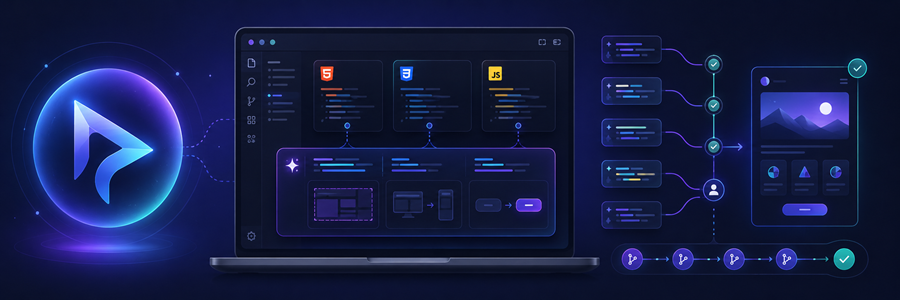
Cursor has become popular because it’s not just autocomplete. It’s an AI-first code editor. It looks familiar if you’ve used VS Code, but the AI features are more deeply built into the experience.
This is especially useful when your project has multiple files. Let’s say you’re building a portfolio website. You have HTML, CSS, and JavaScript files. You want to change the layout, fix mobile responsiveness, and update a button action. Cursor can understand more of the project context and help across files.
If you accept everything blindly, you may end up with a project that works but feels like someone else built it. Use Cursor’s suggestions in small chunks. Review every change. Keep Git commits before major edits, even for personal projects.
Try the link here: Cursor
Plan prices in USD: Free hobby plan, Pro from $20/month
Replit

Replit is one of the easiest ways to start coding because it runs in the browser. No heavy installation. No environment setup drama. For complete beginners, this is a huge win. You can open Replit, create a project, and start coding from a laptop, desktop, or even a phone in some cases.
If you’re in India and using a normal laptop that struggles with heavy IDEs, Replit can be a practical option. If you’re in the US or UK and learning through online courses, it’s also convenient because you can quickly test code without setup issues.
Replit is great for starting, but eventually you should learn local development too. Real jobs usually involve Git, IDEs, terminals, local environments, and deployment workflows.
Start your first 3–5 projects on Replit. Then move to VS Code and GitHub once you’re comfortable.
Try the link here: Replit
Plan prices in USD: Free starter plan, Core from $25/month monthly or $20/month billed annually
Claude

Claude is very useful when you want clear explanations, debugging help, or a second opinion on code structure. I find Claude especially helpful when the problem is not just write this function, but help me understand why this approach is wrong.
That makes it beginner-friendly in a different way. For example, if you paste a confusing JavaScript function and ask, explain this like I’m new to programming, Claude often gives a patient, readable explanation.
Claude can explain things well, but you should still run and test the code. A clean explanation doesn’t guarantee perfect implementation. That applies to every tool on this list, by the way.
Try the link here: Claude
Plan prices in USD: Free plan available, Pro around $20/month, Max from $100/month
ChatGPT
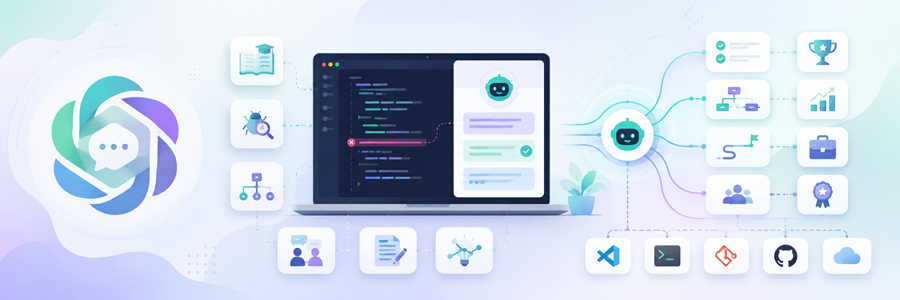
ChatGPT is one of the most flexible options for beginners because it can help beyond code writing. You can use it as a coding tutor, debugging helper, project planner, interview practice partner, documentation assistant, and concept explainer.
That flexibility is why many beginners keep coming back to it. If you’re learning Full Stack Development or Software Engineering and trying to understand a code error, you can paste the error and ask it to explain it.
ChatGPT is not always inside your IDE by default, so you may need to copy code and context manually unless you’re using coding specific integrations. Use it for learning plans, debugging explanations, and interview preparation. For direct coding inside the editor, combine it with Copilot, Cursor, or Codeium.
Try the link here: ChatGPT
Plan prices in USD: Free plan available, Go from $8/month, Plus from $20/month
Devine Desktop
Previously known as Windsurf and now rebranded to Devine Desktop is an AI native coding editor from the Codeium team. It’s similar in spirit to Cursor, where the assistant understands more of your coding environment and helps you work across a project. For beginners, Windsurf is useful once you’ve crossed the basic syntax stage. If you’re still learning what a variable is, start with Replit or Copilot.
But if you’re building a small app and need help connecting files, fixing bugs, and improving structure, Windsurf becomes interesting. Imagine you’re building a small Node.js app and your routes, controller, and database connection are in different files. Windsurf can help you understand how the files relate to each other. Like Cursor, it can do a lot. And when a tool can do a lot, beginners may stop thinking deeply. Use Windsurf after you’ve completed a few beginner projects. It works better when you have enough knowledge to review its suggestions.
Try the link here: Devine
Plan prices in USD: Free plan available, Pro from $20/month
Google Gemini
Google Gemini is useful for coding help, explanations, and general technical learning. Gemini Code Assist is especially relevant if you’re working with Google Cloud or modern app development. For everyday beginners, Gemini can help with code generation, explanation, debugging, and learning concepts.
If you already use Google services heavily, Gemini may feel convenient. I observed this more, for example, you have an android, you are more likely to use Gemini AI assistance on your phone than any other AI spot on.
Try link here: Google Gemini
Plan prices in USD: Free plan available, Google AI Pro from $19.99/month
Meta AI

Meta AI is not the first tool most beginners think of when they talk about coding assistants, but it can still be useful in the right situation.
You’ve probably seen Meta AI inside apps like WhatsApp, Instagram, Facebook, or Messenger. That makes it very easy to access, especially for everyday users who don’t want to open a separate coding platform every time they have a small doubt.
For beginners, Meta AI works best as a quick explanation and idea tool rather than a full coding workspace. Meta AI is not a replacement for tools like Copilot, Cursor, Replit, or Windsurf.
You won’t get the same deep editor integration here. It won’t understand your full codebase like Cursor, nor will it run your code directly like Replit. And it’s not designed mainly for professional software development workflows.
So if you’re building a real project, Meta AI should not be your main coding assistant. Think of it more like a quick pocket helper.
Try the link here: Meta AI
Plan prices in USD: Free
Comparison Chart
Note: Pricing is listed in USD and may vary by country, billing cycle, taxes, usage limits, student offers, and future plan changes.
Frequently Asked Questions (FAQ)
1. Which AI coding tool is best for complete beginners in 2026?
2. Will using coding assistants make me dependent on them?
3. Is it bad to use AI tools while learning programming?
4. What is the biggest mistake beginners make with AI coding tools?
Conclusion
If I were starting my coding journey from scratch in 2026, I’d probably combine Cursor or Copilot for coding, Claude for explanations, and Replit for experimenting with projects. That’s a combination that covers learning, building, and problem-solving remarkably well. And maybe the real question isn’t “Which AI coding tool is the best?” Maybe it’s this: which one makes you feel confident enough to stop watching tutorials and finally build your own project? This concludes Best AI Coding Tools for Beginners in 2026. Which AI coding tool you think is worth and why? Do let us know in the comments section below. If you wanted to try Harness and learn how CICD works with Harness then check out the blog here. We have collection of top class web tools baked right into Techdecipher.com. To go to the tools page, click here. If you need any help or have any suggestions to make, then do reach out via the contact page here. I also provide services to help you with your issues, which you can find here. Happy Daniel Boone Day!
