
You search for a pair of headphones once, and suddenly the same product seems to follow you across news sites, social media, and shopping apps. That is usually not your phone reading your mind. It is the less exciting answer trackers, cookies, account data, and advertising systems. If you want fewer trackers and clearer privacy controls, changing the browser is one of the easiest places to start, and that’s what we are going to cover in this blog.
In today’s post, we are going to check out what browser privacy actually means, the best privacy focused Android browsers beyond Chrome in 2026, the trade offs behind each option, and whether any browser can keep you completely safe. Without further ado, let’s get started!
What does it mean to have privacy in browsers?
A private browser should reduce the amount of information that websites, advertising companies, and other third parties can collect while you browse. That sounds simple, but several different things are happening in the background.
Cross-site tracking: Advertising and analytics scripts can try to recognise you across different websites. A privacy-focused browser may block known trackers, restrict third-party cookies, or isolate cookies so they cannot follow you as easily.
Browser fingerprinting: A site can combine details such as your screen size, fonts, language, graphics support, and browser settings into a probable identifier. Cookie blocking alone does not solve this.
Local browsing data: History, cookies, cached files, saved form entries, and permissions can remain on the phone. Some browsers make this data easier to erase or remove it automatically.
Network identity: Your IP address can reveal an approximate location and connect visits to the same internet connection. Most private browsers do not hide it. Tor does; a VPN changes who can see it, but creates a different trust relationship with the VPN provider.
Private or incognito mode mainly controls what remains on your device after the session. Google’s own Incognito documentation explains that websites, employers, schools, and internet service providers may still observe activity. So, if someone says incognito mode makes you invisible online, that claim deserves the same treatment as a suspicious pop-up that is to be closed.
Best Privacy focused Android browsers
1] Brave Browser
Brave is the easiest recommendation for someone who wants stronger privacy without relearning how a browser works. It is based on Chromium, so websites usually behave much as they do in Chrome. The difference is that Brave’s privacy controls are placed directly in the browser and switched on from the start.
Brave also states in its current browser privacy policy that it does not collect or retain your browsing history. Some optional features still contact online services, and Safe Browsing requires limited communication to check suspicious sites, so it is worth reading the settings instead of assuming every toggle means the same thing.
Link: Brave Browser
2] Firefox for Android
Firefox is a strong choice if you want privacy controls without staying inside the Chromium family. Enhanced Tracking Protection is enabled by default and uses a known-tracker list to block social trackers, cross-site trackers, cryptominers, and other tracking content depending on the selected level.
You can stay on Standard protection for fewer compatibility problems, move to Strict for stronger blocking, or build a Custom setup. Firefox for Android also supports compatible add-ons from Mozilla’s extension catalogue. Extensions can be useful, but each one adds permissions and another developer you need to trust.
Link: Firefox for Android
3] DuckDuckGo Browser
DuckDuckGo is built for people who want privacy controls that do not feel like a weekend project. The browser blocks many third-party tracking requests, removes recognised tracking parameters from links, sends Global Privacy Control signals, and provides a Fire Button for clearing tabs and local browsing data quickly.

Android displays DuckDuckGo’s App Tracking Protection feature as a VPN connection. It is not the same as a conventional VPN, and Android normally allows only one active VPN interface. That means App Tracking Protection will not work alongside most other VPN apps.
Link: DuckDuckGo Private Browser
4] Firefox Focus
Firefox Focus is the browser you open when you want to look something up, finish the task, and leave as little session data behind as possible. It is deliberately smaller and simpler than regular Firefox. Mozilla describes Focus as a dedicated privacy browser with automatic tracking protection and a prominent erase control for history, cookies, passwords, and other session data.
This makes Focus useful as a secondary browser for one-off searches, opening links from messages, or reading a page you do not want mixed into your normal browsing history.
Link: Firefox Focus
5] Tor Browser
Tor Browser is the specialist option on this list. It is designed for stronger anonymity, resistance to tracking, and access in places where the open web is restricted. It should not be treated as Brave with an extra privacy toggle. The Tor Project explains that Tor Browser routes traffic through three relays, so the website sees a connection from the Tor network rather than your real IP address.
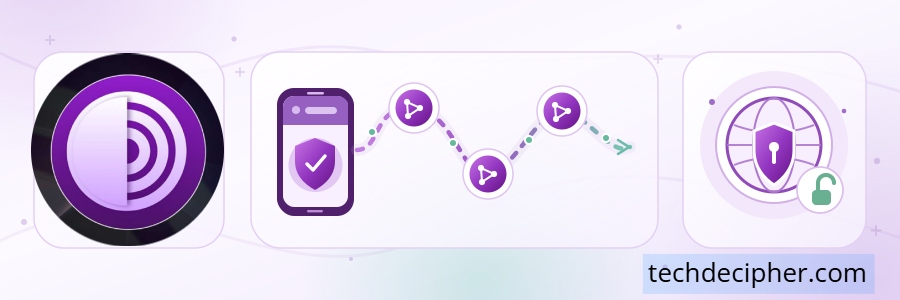
It also includes anti-fingerprinting changes, does not keep browsing history by default, and limits cookies to the current session. Tor Browser protects only the traffic inside Tor Browser, it does not automatically route your other Android apps through Tor.
Link: Tor Browser
6] Cromite
Cromite is a privacy-oriented Chromium fork for users who want familiar website compatibility with many Google integrations removed. It includes built-in ad blocking, anti-fingerprinting measures, reduced background connections, and controls for deleting browsing data when the browser starts or closes.
Cromite is not available on Google Play. The developer publishes Android builds through the official GitHub releases and a dedicated F-Droid repository. If you use it, download only from those official locations and enable update notifications during setup because browser security patches lose their value when an APK remains outdated.
Link: Cromite
Is any browser safe at all?
No browser can promise complete safety or privacy. A browser can block known trackers, isolate cookies, reduce fingerprinting, warn about malicious pages, or hide your IP through Tor. It cannot undo information you knowingly give to a website, protect an account after you sign in with a reused password, or stop every new browser vulnerability before a patch exists.
Imagine opening a private browser, signing into your usual social account, allowing precise location, and downloading an unknown APK. The browser may still block advertising trackers, but you have already identified yourself, shared a sensitive permission, and introduced a different security risk. Privacy depends on the whole browsing habit, not the logo on the home screen.
Quick Comparison
| 🌐 Browser | 🎯 Best For | 🛡️ Main Privacy Tools | 💡 Keep in Mind |
|---|---|---|---|
| Brave | Most people | Built-in tracker and ad blocking, cookie controls, fingerprinting protection, HTTPS upgrades | Some optional Brave services may not interest everyone |
| Firefox | Control and extensions | Enhanced Tracking Protection, Total Cookie Protection, Android add-ons | Strict settings and extensions can break sites |
| DuckDuckGo | Simple privacy | Tracker blocking, Fire Button, Global Privacy Control, App Tracking Protection | App Tracking Protection conflicts with most other VPN apps |
| Firefox Focus | Short private sessions | Automatic tracking protection and easy session erasing | Too minimal for people who want a full browser setup |
| Tor Browser | Anonymity and censorship resistance | Tor routing, anti-fingerprinting, session-only cookies | Slower browsing, and some sites challenge or block Tor users |
| Cromite | Advanced Chromium users | De-Googled Chromium build, ad blocking, privacy patches, local data controls | Not on Google Play; updates and security choices need attention |
Frequently Asked Questions (FAQ)
Does a VPN make any browser private?
Do these browsers block every advertisement?
Is Firefox Focus safer than regular Firefox?
Does incognito mode hide my IP address?
Conclusion
Moving away from Chrome does not require turning your Android phone into a security experiment. Brave gives most people a comfortable starting point. Firefox offers the most control. DuckDuckGo and Firefox Focus keep privacy simple. Tor Browser is the right tool when anonymity matters, and Cromite serves experienced users who are willing to manage its compromises. This concludes our discussion on Best Privacy-Focused Android Browsers Beyond Chrome in 2026. Which browser do you think is the best according to your use case? Do let us know in the comments section below. There are so many browsers out there, if you want to see which are the best ones ranked, then check out the blog here. We have a collection of top class web tools baked right into Techdecipher.com. To go to the tools page, click here. If you need any help or have any suggestions to make, then do reach out via the contact page here. I also provide services to help you with your issues, which you can find here. Happy Black Poetry Day!
